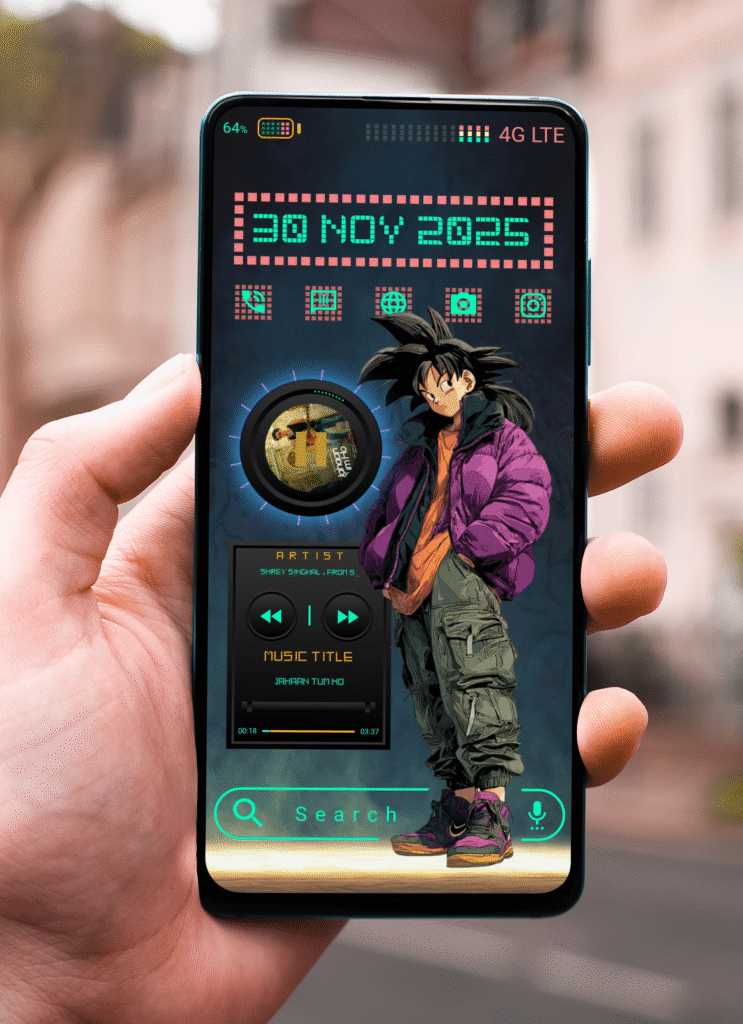
If you love futuristic designs, neon colors, and anime-inspired visuals, Techno Saiyan is the perfect KLWP theme to transform your Android home screen. Designed for users who want bold style with smooth functionality, this theme blends cyberpunk UI, street anime energy, and clean digital widgets into one powerful setup.
What Makes Techno Saiyan Special?
Techno Saiyan isn’t just a theme it’s a full visual experience.With sharp neon elements, glowing grids, and stylish character art, it brings a modern digital world directly onto your phone. The theme includes:
If minimalism and technology had a meeting point, it would look exactly like Lumi Clock klwp Themes.
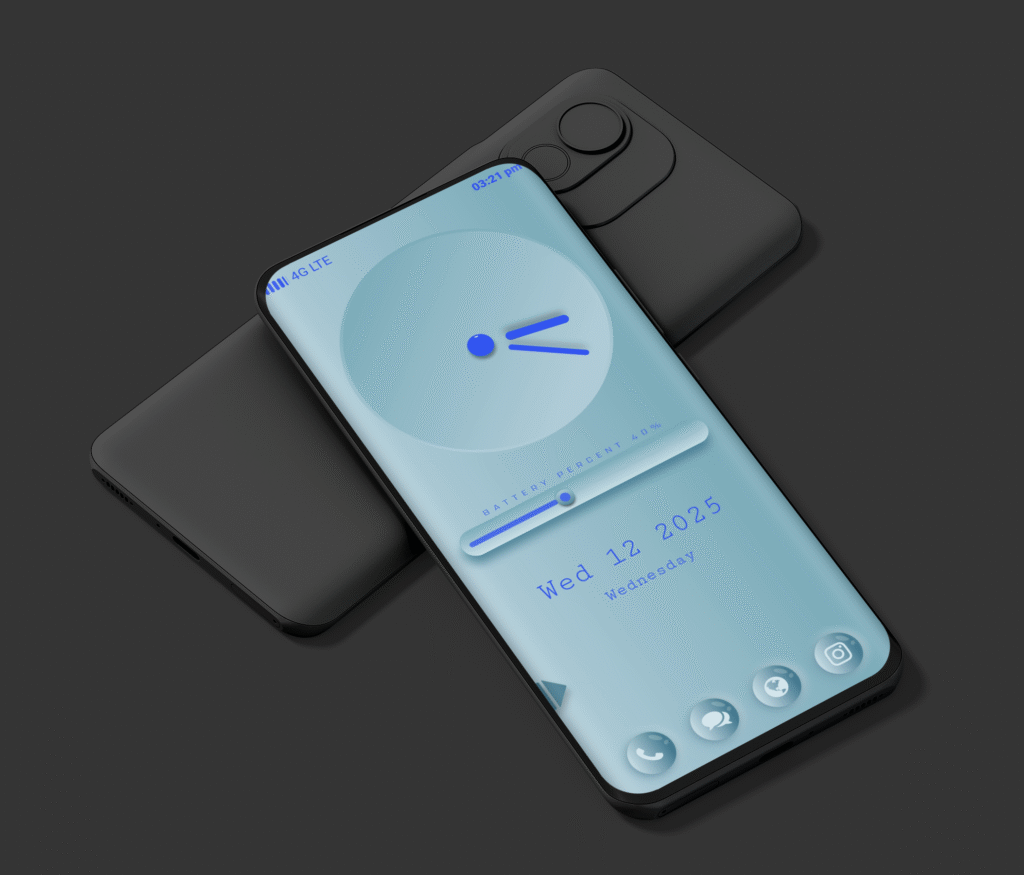
This new KLWP theme redefines simplicity with a futuristic glow. A soft aqua background hosts a luminous analog clock, where blue light guides your eyes across the time. The design language feels calm yet confident smooth gradients, balanced spacing, and modern typography all come together to create a refined, glass-inspired experience.
What makes Lumi Clock klwp Theme special isn’t just its look, but its feeling. It gives your phone a sense of depth and clarity like light passing through crystal water.
⚙️ Key Features of LumiClock
Here’s what makes Lumi Clock stand out from other KLWP themes:
⏰ Luminous Analog Clock:A glowing, minimal analog clock with fluid animation that perfectly matches the modern blue tone.
🔋 Battery Progress Bar:A smooth, interactive battery bar that visually indicates your device’s charge level sleek and functional.
📅 Dynamic Date & Weekday Display:Clean typography for the date and day adds a modern yet minimalist touch.
🧊 Frosted Glass Dock Icons:Transparent and blurred icons for Phone, Chat, Browser, and Camera enhance the overall premium aesthetic.
📱 Responsive Layout:Optimized for all major Android screen ratios (18:9, 19.5:9, and 20:9).
In a world where most themes are overcrowded with widgets and visuals, Lumi Clock klwp Theme keeps it simple yet striking.It brings focus back to what truly matters time, clarity, and calm design.
The luminous glow offers a futuristic aesthetic that feels like it’s part of your device’s hardware.No clutter. No chaos. Just a serene flow of light and motion that transforms your home screen into a futuristic clock space.
🛠️ How to Apply LumiClock on Your Device
Requirements
KLWP Pro Key nova Launcher (or any launcher supporting KLWP)
Setup Steps
1.Install and open KLWP.
2. Import the LumiClock.klwp file
3. Set KLWP as your wallpaper.
4. Adjust scale and padding if needed (depending on your screen size).
More details visit (Tutorial)
Download Lumi Clock
Lumi Clock is available exclusively on Ko-fi Store designed and shared by Nova Setup.Each download supports independent creators and encourages the continued development of creative KLWP designs.
If you’re someone who loves customizing your Android home screen
with unique setups, then this one is for you. Today, I want to share something special the Dark Reaper KLWP theme, a mix of dark fantasy art and futuristic neon vibes.
What Makes This Theme Different?
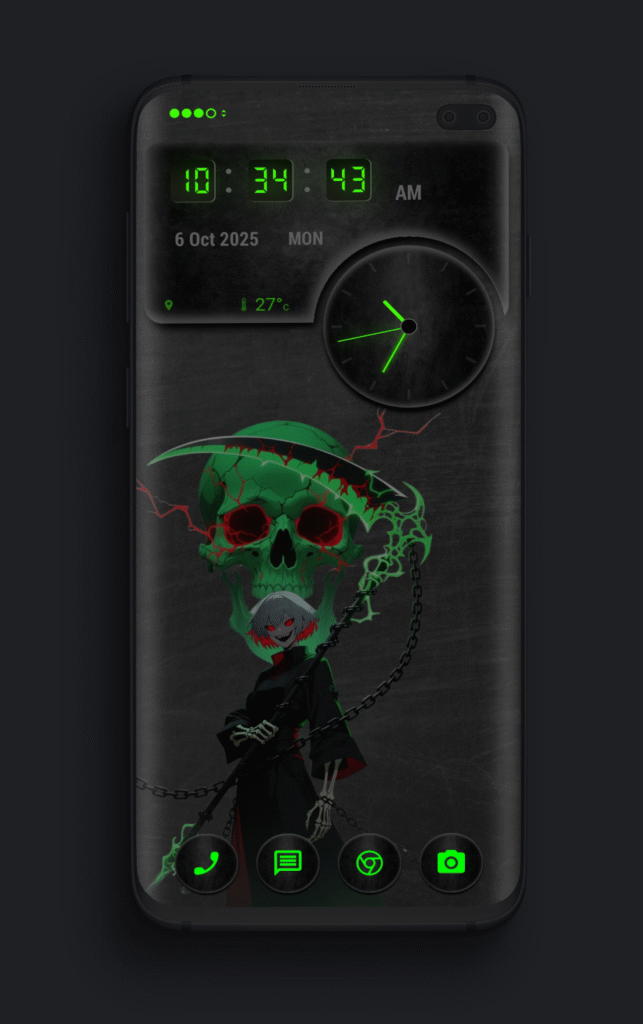
Most Android themes out there either go too minimal or too flashy. Dark Reaper strikes the perfect balance. It blends a dark anime-inspired wallpaper with glowing neon green elements that make the whole setup look alive.On the home screen, you get:
Digital + Analog Clock,Combo A modern digital clock at the top with a matching circular analog clock beside it.
Date & Weather Info, Cleanly displayed so you don’t have to clutter your screen with widgets.
Minimal Neon App Shortcuts , Phone, Messages, Browser, and Camera, glowing in green for quick access
The Wallpaper – Dark Fantasy with a Twist
The background artwork is what really sets this theme apart. It features a grim reaper,style anime character standing under a glowing skull with crackling energy. The details, mixed with black and neon green tones, give your phone a dark yet stylish personality.
Who Is This Theme For?
Fans of dark mode Setups anyone who loves anime-inspired Artwork people looking for something different from basic minimal Theme android users who want a balanced mix of aesthetics and functionality
Cyber Muse is a futuristic KLWP theme with a stunning vintage cyberpunk touch. The design blends robotic art, smooth UI layouts, and earthy retro tones , creating a look that feels both mechanical and artistic. Whether you’re into sci-fi aesthetics or clean minimalist setups, this theme will transform your home screen into a piece of digital art.
🌐 Theme Overview
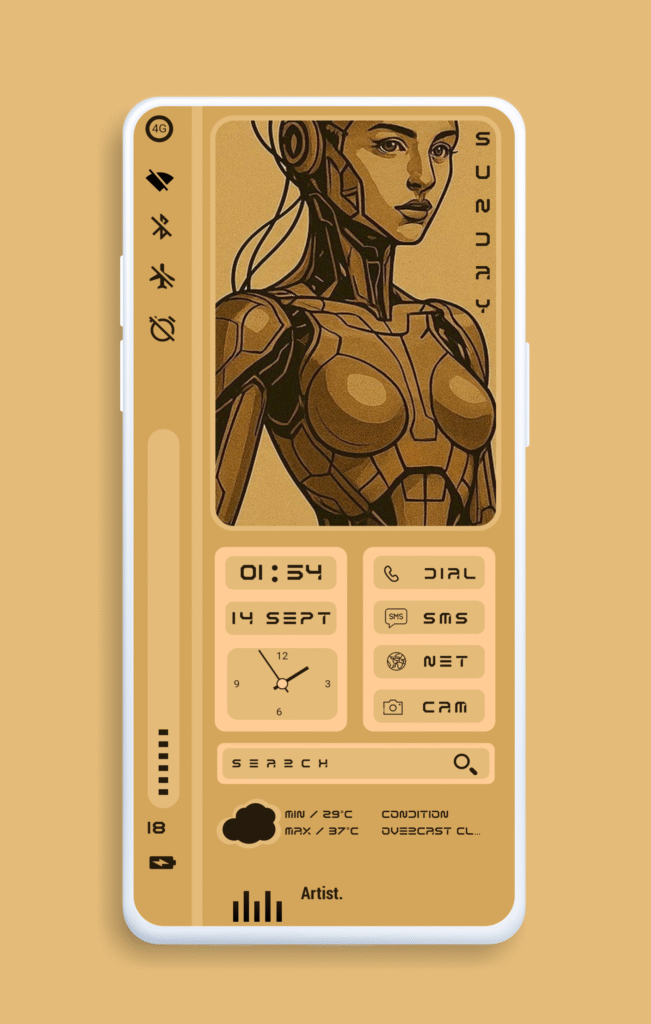
Cyber Muse is designed for those who appreciate style and simplicity. The layout showcases a robotic muse artwork on the left and a set of neatly placed widgets on the right for essential controls. The warm sepia palette gives it a vintage poster feel, balanced with futuristic typography and icons.
⚙️ Key Features
Minimalist Widgets: Time, date, and weather information are displayed in clean futuristic fonts.
Interactive Controls: Direct access to dial, SMS, camera, and internet apps with single-tap shortcuts.
Dynamic Clock & Calendar: Functional analog and digital clock combinations for better usability.
Weather Details: Displays temperature range and real-time conditions.
Search Bar: Quick access to your favorite search engine directly from the home screen.
Battery & Signal Indicators: Stylish visual bars at the bottom to keep track of essential info.
Cyberpunk Art Style: A unique robotic muse illustration that adds artistic depth to your setup.
🧩 How to Apply Cyber Muse Klwp Themes
Follow these simple steps to set up Cyber Muse on your Android device:1. Download Required Apps:
Cyber Muse 2 isn’t just a theme — it’s a fusion of art and technology. The robotic muse represents creativity meeting machinery, while the muted golden tones bring a warm, nostalgic glow. Perfect for users who love vintage cyberpunk and clean futuristic setups.